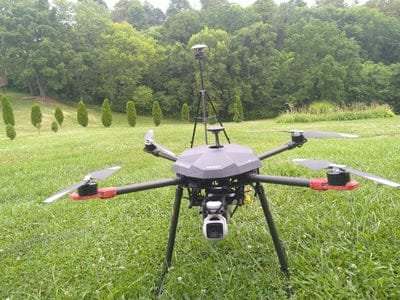
A warning flashes up and the drone won’t take off. Do you restart and recalibrate, or box it up for repair? Guess wrong and you either burn an afternoon on a fault no app setting can fix, or pay for a repair a restart would have cleared. Examples here are mostly DJI, because its help material is widely published. For other brands, check your manufacturer’s own guidance.
Read the words, not just the number
A DJI error code is a number shown beside a warning, such as “Gimbal stuck (Code: 40002).” One troubleshooting guide notes that the words matter more than the number, because they name the system at fault: gimbal, IMU, compass, battery, motors or vision sensors. DJI doesn’t publish one list that decodes every number. It has articles for some codes, such as 30064, 40002 and 40021, but many have no public explanation.
Search the exact code and message on the manufacturer’s support site, and be wary of forum posts that tell you to open the drone.
Checks you can safely try first
One guide says most warnings clear with a restart, an update or a calibration. Work through these in order:
- Restart the drone and controller, and seat the battery firmly.
- Check what the message names. Remove the gimbal cover, unfold the arms, spin each propeller by hand and clean the sensors.
- Update the app, drone, controller and batteries. Many warnings are firmware mismatches, meaning parts running mismatched software versions.
- Try another battery. Power and ESC warnings sometimes follow one pack. (An ESC is the electronic speed controller that drives each motor.) Follow your manufacturer’s guidance on battery handling and charging.
- Calibrate only when the app asks.
Calibration ground rules
Calibration gives the drone’s sensors a fresh baseline. For the compass, DJI says to have at least 50% battery and to avoid strong magnetic fields or large metal objects, such as large electrical equipment, parking lots, ships or buildings with underground steel columns. On many current DJI models the DJI Fly path is ··· > Safety > Sensors > Compass > Calibration. FPV, Avata and older models use different menus, so follow the instructions for your model.
DJI also recommends recalibrating after a long idle period. For the DJI FPV, it names more than 30 days. If a compass or IMU prompt (the IMU is the sensor package that tracks tilt and movement) still shows afterward, DJI’s Mini 3 Pro guidance is to calibrate again. If compass calibration fails, DJI says to restart the aircraft and repeat the steps, then send the drone in for testing if it still fails.
Warning signs that point to hardware
- The message names motors, ESCs or the power system. If the code returns after the standard fixes, one guide says to stop flying, upload logs in DJI Fly (Service > Log Upload), describe what happened and contact DJI support with the code. DJI can read the flight data and say whether repair is needed.
- Gimbal IMU data error (40021). DJI says this means the gimbal was changed but its IMU data wasn’t downloaded, and suggests sending the aircraft back for diagnosis.
- Several navigation errors at once after a crash. One parts retailer describes Mini 3 and Mini 4 Pro units showing navigation, gyroscope, accelerometer, GPS and downward vision errors together (codes such as 30105 and 16020004). It blames a torn flex cable, a thin ribbon cable carrying IMU and GPS data. It says calibration or updates won’t fix that, and that replacement means opening the top cover, which belongs in a professional setting. That is one seller’s account, not a universal rule, but crash history matters.
A quick triage table
| What you see | Likely level | Sensible first move |
|---|---|---|
| Compass calibration required | Often software or environment | Calibrate outdoors, away from metal, with at least 50% battery |
| IMU calibration required | Often software; check crash history | Calibrate when asked; repeat if the prompt stays |
| Gimbal stuck (40002) | Often external and physical | Remove the protector, unfold the arms, look for debris |
| Gimbal IMU data error (40021) | Service issue | Contact the manufacturer or a qualified shop |
| Persistent motor, ESC or power warning | Possible hardware | Stop flying, try another battery, send logs |
Treat the table as probabilities, not a diagnosis. Warnings can look alike across aircraft.
What to tell the repair shop
A code is a clue, not a verdict. It helps you describe what happened but doesn’t prove which part failed. A repair-service guide suggests keeping this evidence together:
- The exact wording or number, ideally as a screenshot rather than a remembered figure.
- The aircraft model, controller and the batteries in use.
- Whether the message appeared once or repeats.
- Any impact, moisture exposure or previous service, plus anything you don’t know about the drone’s history.
Add what you already tried: restart, update, calibration, a different battery. If you’re weighing repair against replacement, ask for written findings and the proposed scope of work so you can compare options fairly. Check your warranty or care-plan terms before anyone opens the drone.
Next step
Next time a warning appears, screenshot it before you restart. Run the safe checks above once, in order. If the same message returns, or it names motors, power or the gimbal IMU, stop flying and send your evidence to the manufacturer or a qualified repair shop.
Footnotes & Sources
- DJI error codes explained: what the numbers mean and where to look the, Uplink Imaging, October 12, 2026. — Meaning of DJI error codes, standard fixes, motor/ESC/power-system advice and log upload steps.
- Compass Calibration Guide, DJI. — Compass calibration conditions, menu path, battery requirement and what to do if calibration fails.
- Calibrating the compass, DJI, March 25, 2021. — DJI recommends calibrating the DJI FPV compass if unflown for more than 30 days.
- IMU and compass do not calibrate – DJI Mini 3 Pro, DJI, May 15, 2023. — Repeat IMU/compass calibration if the prompt is still shown (Mini 3 Pro).
- Gimbal IMU data error (code 40021), DJI, September 11, 2022. — Meaning of gimbal IMU data error 40021 and DJI’s suggestion to send the aircraft in.
- DJI IMU Error & IMU Calibration Guide: Step-by-Step Fix | Odakon, Odakon, April 27, 2026. — One retailer’s description of multi-error flex cable failures on Mini 3/4 Pro and professional replacement.
- DJI Error Codes: Meaning, Evidence and Repair Next Steps, Reboot Hub, July 1, 2026. — What evidence to record for a repair shop; codes as clues; written findings.
Key Takeaways
- Read the error message carefully; the words indicate the issue more than the code itself.
- Restarting, updating, or recalibrating often clears drone errors, so try these first.
- Certain warnings, like motor or ESC alerts, may indicate hardware issues; contact support if they persist.
- Document the error code, model, and any previous issues before seeking repairs to aid diagnostics.
- For persistent problems, take a screenshot of the error and follow safe troubleshooting steps before contacting support.
Table of contents

Leave a Reply