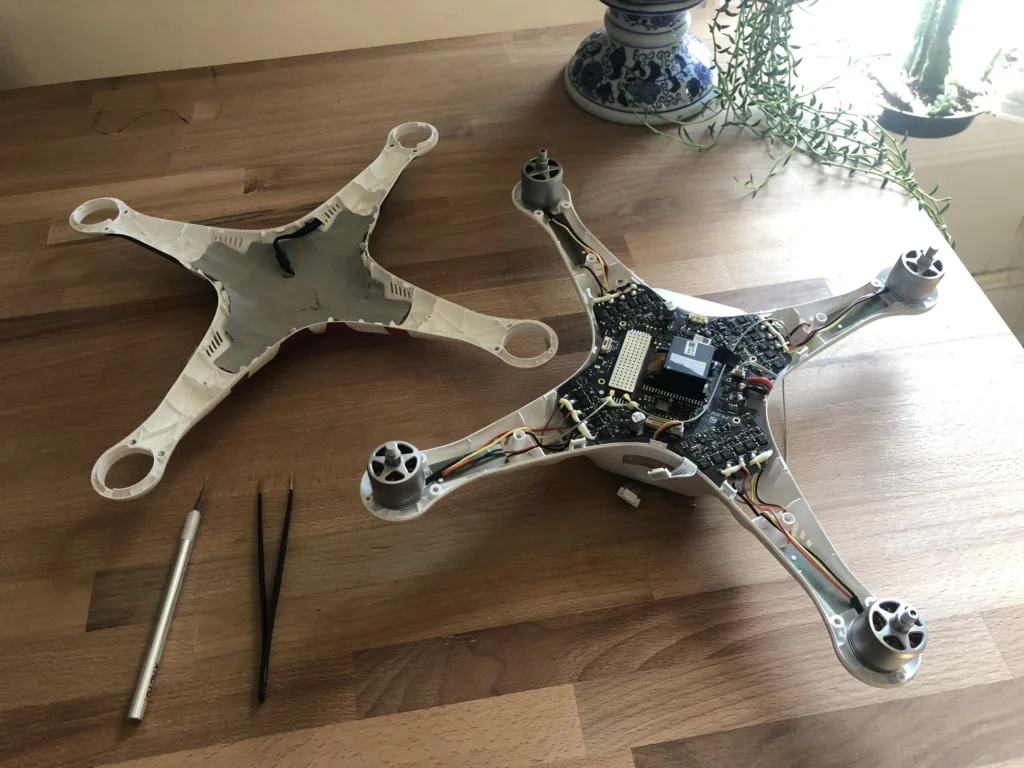
A shop asks when the vibration started. A buyer asks whether the drone has ever been crashed. Most owners answer with a guess, because the details are scattered across phone photos, app screens and memory. A maintenance log fixes that, and it doesn’t have to be elaborate.
What the rules say, and what they don’t
Under Part 107, the FAA’s rules for commercial small drone operations, the remote pilot in command must check the aircraft before each flight to determine whether it is in a condition for safe operation. The same rule says no one may operate a civil small unmanned aircraft system unless it is in a condition for safe operation.
The rule text available for this article talks about checking the aircraft. It does not say you must write the check down. So a log is good practice and a handy paper trail, not something these sources show as mandatory. Requirements can change and can differ for your operation or state, so confirm current rules with the FAA and with your state or local authority.
What to record
Keep entries short and consistent. A federal records provision on maintenance work says records must contain a description of the work performed, the date it was completed and the name of the person who did it. That provision may not apply to your flying, so check with the FAA, but the three-part pattern makes a good template for any log.
| Entry | What to write | Why it matters later |
|---|---|---|
| Flights | Date, aircraft, battery used, rough flight time | Shows wear and usage to a shop or buyer |
| Preflight check | Date and a quick pass or issue note | Documents that the pre-flight check happened |
| Firmware | Date, component updated and version number shown | Helps pin down problems that began after an update |
| Crashes and hard landings | Date, what happened, visible damage, what you did next | Honest history for repairs and sales |
| Parts swapped | Part, date, who did the work | Separates original parts from replacements |
| Calibration and cleaning | Date and what you did | Rules out simple causes |
| Odd symptoms | Drift, vibration, error messages, when they appear | Gives a technician a timeline |
Batteries get their own section
Give each battery a label and its own line. Log the cycle count (one full charge-and-discharge use) if your manufacturer’s app or charger reports it, plus notes on swelling, unusual heat or charging trouble. Follow the manufacturer’s guidance on charging, storage and retiring packs. Never open or tamper with a lithium battery. If a pack looks damaged, the manufacturer or a qualified repair shop should handle it.
Spreadsheet, app or notebook?
- Spreadsheet: Easy to sort and search, and easy to email to a shop or buyer. Use one tab per aircraft and keep a backup copy.
- Logging app: Convenient if it captures flights automatically. Check that you can export your data, because you don’t want your history locked inside one service.
- Notebook: Fast to use at the field and hard to break. The downsides are no search and a single copy, so photograph the pages now and then.
The best format is whichever one you’ll actually keep up. Whichever you choose, add the serial numbers, purchase date and a few dated photos of the aircraft’s condition.
How a log speeds up repairs
A technician’s first job is narrowing down causes. A line like gimbal started jittering two flights after the firmware update, props replaced the same week saves time compared with it just acts weird. The log also shows which basic checks you’ve already done, such as props, cleaning and calibration. Those are reasonable owner checks. Opening sealed parts, soldering, radio hardware and anything involving the battery pack are jobs for a qualified shop or the manufacturer’s service. The log helps the shop, but it doesn’t replace their inspection.
Warranty and care-plan conversations
DJI’s store material states that normal product warranties don’t cover accidental damage. Its Care Refresh plan is described as covering things like collisions, water damage and drop damage. Another DJI guide says free repair applies when covered parts malfunction due to non-user error while the plan is valid. Terms differ by product and plan, so read the current terms for your model. Other manufacturers have their own policies.
DJI says its website can show activation time, plan validity, remaining replacements, warranty period and repair service history. Keep your own copy anyway. A few details in the log also help:
- Serial numbers. DJI notes that a mismatch between the returned product’s serial number and the registration information can cause problems with its Care Express service.
- Battery tracking. The same guide says you may need to send back a battery if you received a replacement, so know which pack is which.
- Proof of purchase. DJI’s international warranty service refers to valid proof of purchase, so store receipts with your records.
- Dates. A dated incident entry makes it simpler to line up events with your coverage period.
How it helps at resale
Buyers of used drones usually want to know three things: how much it’s flown, whether it’s been crashed, and what has been replaced. A clean log answers those without a long back-and-forth. Include your crash entries. A disclosed hard landing with a documented repair reads far better than a gap in the story. Whether the log changes the price is up to the buyer, but it makes the conversation easier and more credible.
Start with one page tonight
For each aircraft, write down the serial numbers, purchase date, current firmware versions and a list of labeled batteries. Then add an entry after your next flight. If you fly commercially, check current FAA requirements for your operation and keep whatever documentation they call for alongside the log.
Footnotes & Sources
- 913 Federal Aviation Administration, DOT Pt. 107, govinfo.gov. — Part 107 requires the remote pilot in command to check the aircraft before each flight for condition for safe operation.
- 14 CFR § 107.15 – Condition for safe operation., law.cornell.edu. — 14 CFR 107.15 preflight check requirement.
- Federal Register :: Request Access, ecfr.gov. — No person may operate a civil small UAS unless it is in a condition for safe operation.
- Federal Register :: Request Access, ecfr.gov, December 9, 2022. — Federal records provision: description of work, date completed, name of the person who performed it.
- DJI Care Refresh: Everything You Need to Know – DJI Store, DJI. — DJI statement that normal warranties don’t cover accidental damage and that Care Refresh covers collisions, water and drop damage.
- DJI Care Refresh Purchase Guide, DJI. — Free repair for covered parts malfunctioning due to non-user error during plan validity.
- DJI Care Refresh Guide, DJI. — DJI website shows plan and repair history; serial number and battery return conditions for Care Express.
- About DJI Care Refresh International Warranty Service, DJI. — International warranty service refers to valid proof of purchase.
Key Takeaways
- A maintenance log helps track vital drone details, aiding both resale and repair processes.
- Under FAA regulations, preflight checks are mandatory, but recording them is not, making a log a useful practice.
- Key entries for a maintenance log include flights, preflight checks, crashes, and firmware updates for better tracking.
- Choose a logging method that you’ll maintain, whether it’s a spreadsheet, app, or notebook, and include essential details.
- An organized log simplifies repairs and enhances communication with buyers during resale discussions.
Estimated reading time: 6 minutes
Table of contents

Leave a Reply